
User Guide / Contacts
Contact groups
Contacts → Contact Groups puts customers into groups — Wholesale, Staff, VIP — to give them a price list, change their warranty default, and target discounts at them.
Add a group
- Click Add Group.
- Enter the Group Name (unique) and an optional description.
- Optionally choose a Price List. Everyone in the group is priced from it, unless they have one of their own.
- Leave Warranty Applicable on, or turn it off so sales to this group default every line to No Warranty. Staff can still set a warranty per line.
- Save.
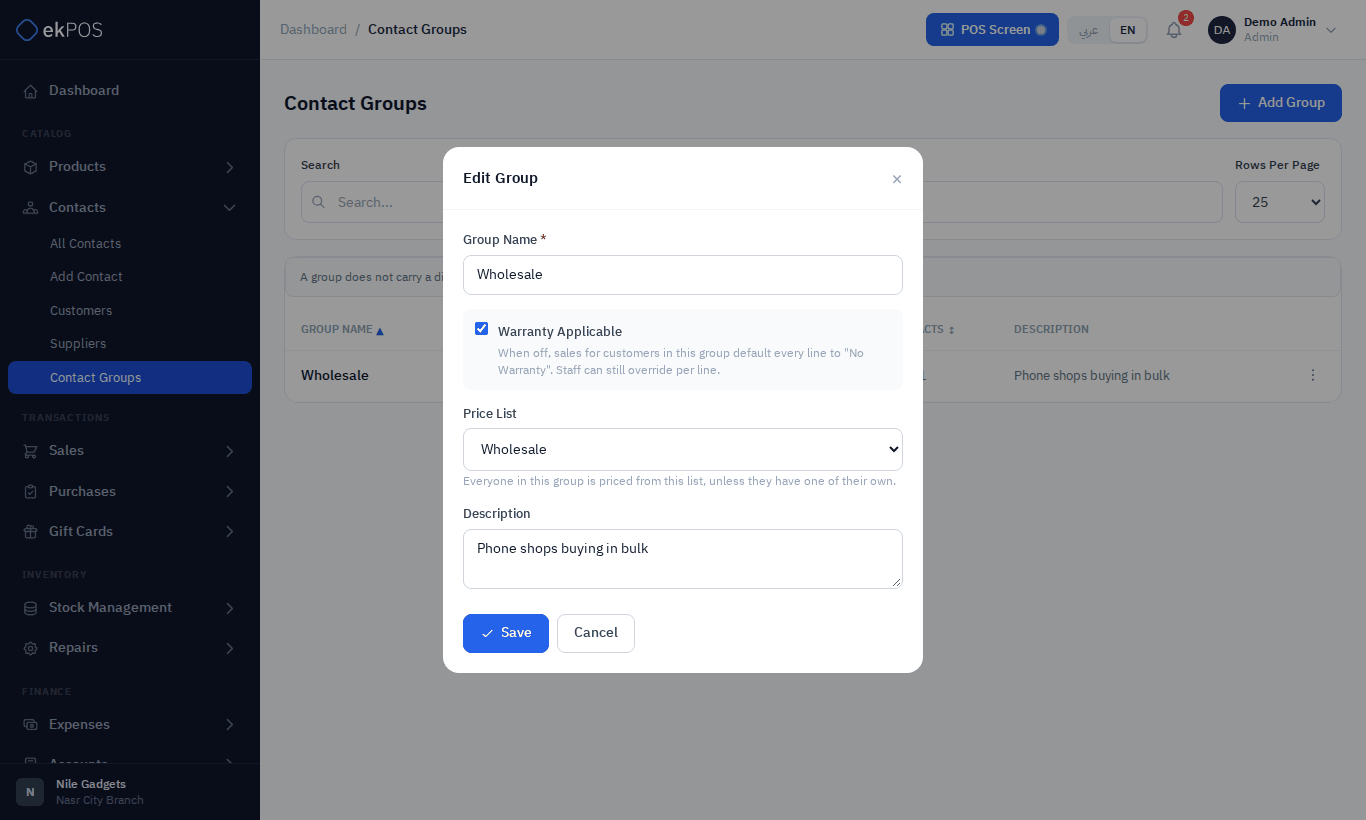
Then assign customers to the group with the Contact Group field on each customer, or in a contact import.
What a group does
| Feature | Effect |
|---|---|
| Price List | Prices every member from the list. See Price lists. |
| Warranty Applicable | Warranty default on Add Sale lines. |
| Discounts | A discount can be limited to one or more groups. |
A group cannot be deleted while it still has contacts.