
Purchasing reports
Purchases report
Reports → Purchases Report lists purchases with their costs and payments.
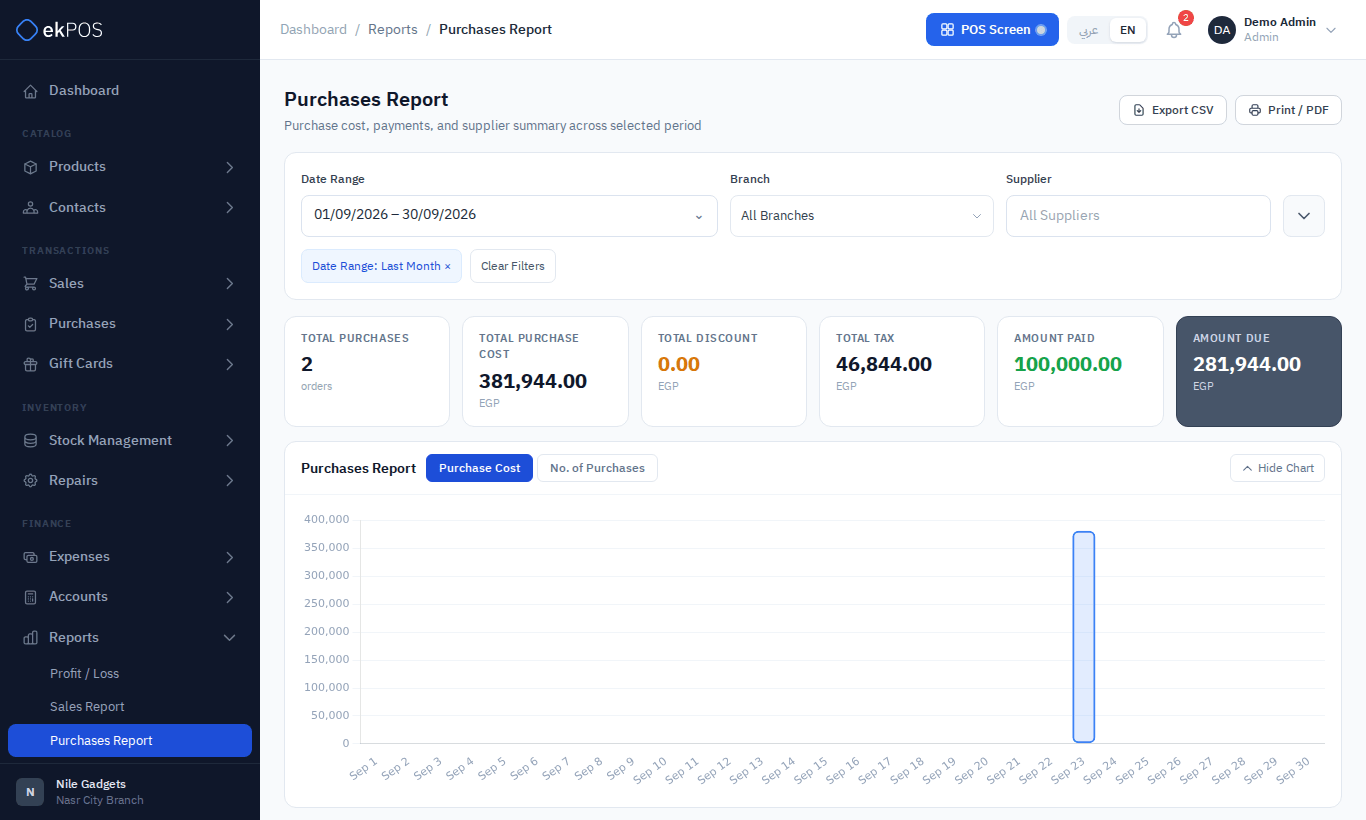
Filters: date range, branch, supplier, payment status (Paid, Partially Paid, Due) and purchase status (Received, Pending, Partially Received). The cards show the number of purchases, total cost, discount, tax, amount paid and amount due. Each row shows the reference, date, supplier, branch, statuses, items, gross, discount, tax, net, paid and due.
Supplier prices
Reports → Supplier Prices has one row per received purchase line: date, supplier, product, SKU, quantity, the supplier's unit cost and the landed cost after shipping and other charges were spread over it, and the purchase reference.
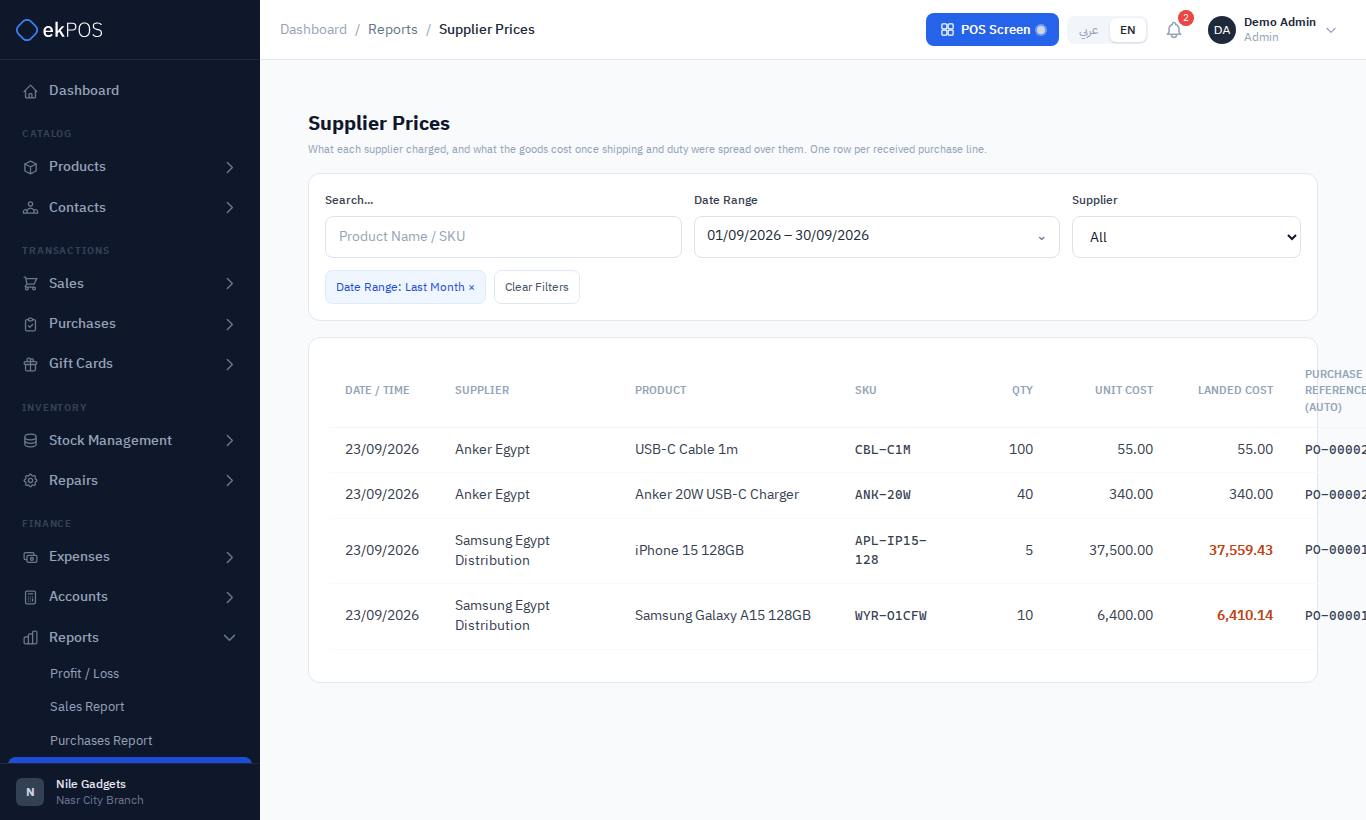
Filter by supplier, search, and dates. Use it to compare what different suppliers charge, and how prices move over time.
Supplier report
Reports → Supplier Report shows each supplier's number of orders, amount purchased and amount paid in the period, with the last order date and a link to their ledger. Purchased is the order total including VAT, so it compares with Paid. Cancelled orders are left out unless you filter by Cancelled.
Filters: date range, branch, supplier, payment status and purchase status.
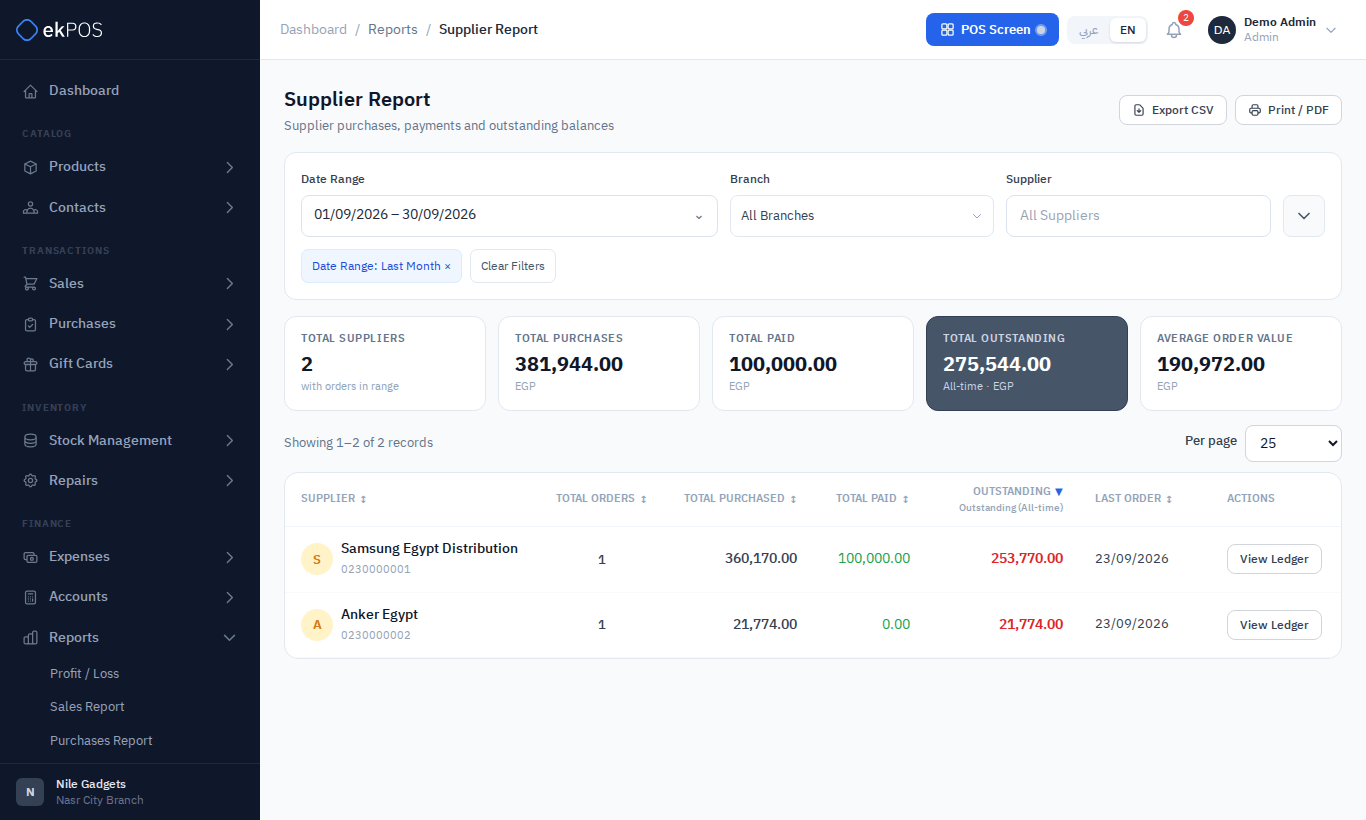
NoteThe Outstanding figure is each supplier's ledger balance, so it includes purchase returns, opening balances and entries added by hand as well as purchases and payments.