
Receiving goods
Goods often arrive in more than one delivery. ekPOS tracks, for every purchase line, how much was ordered, how much has been received, and how much is still on backorder. Stock is added only for what you mark as received.
Three ways to receive
| Situation | What to do |
|---|---|
| Everything arrived with the invoice | Create the purchase with status Received (choose it after entering the quantities). |
| Part of the order arrived at the start | Create it as Partially Received and fill the Received Qty column that appears. The rest becomes backorder. |
| The goods arrive after the order was placed | Create it as Ordered, then receive each delivery from Backorders. |
The Backorders page
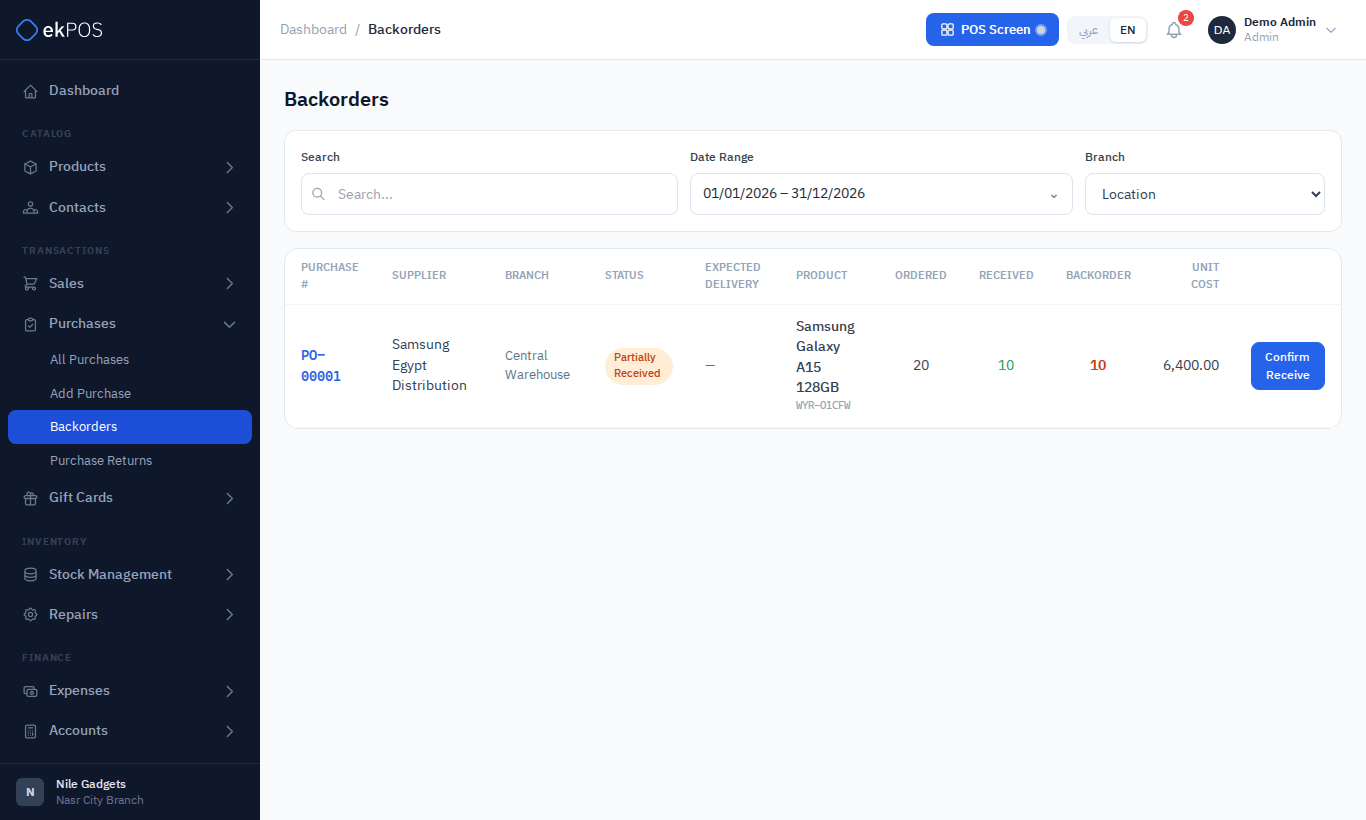
Purchases → Backorders lists every Ordered or Partially Received purchase that still has quantities outstanding, oldest expected delivery first. Each line shows ordered, received and backorder quantities. Filter by search, location and date.
Receive a delivery
- On Purchases → Backorders, click Confirm Receive on the purchase.
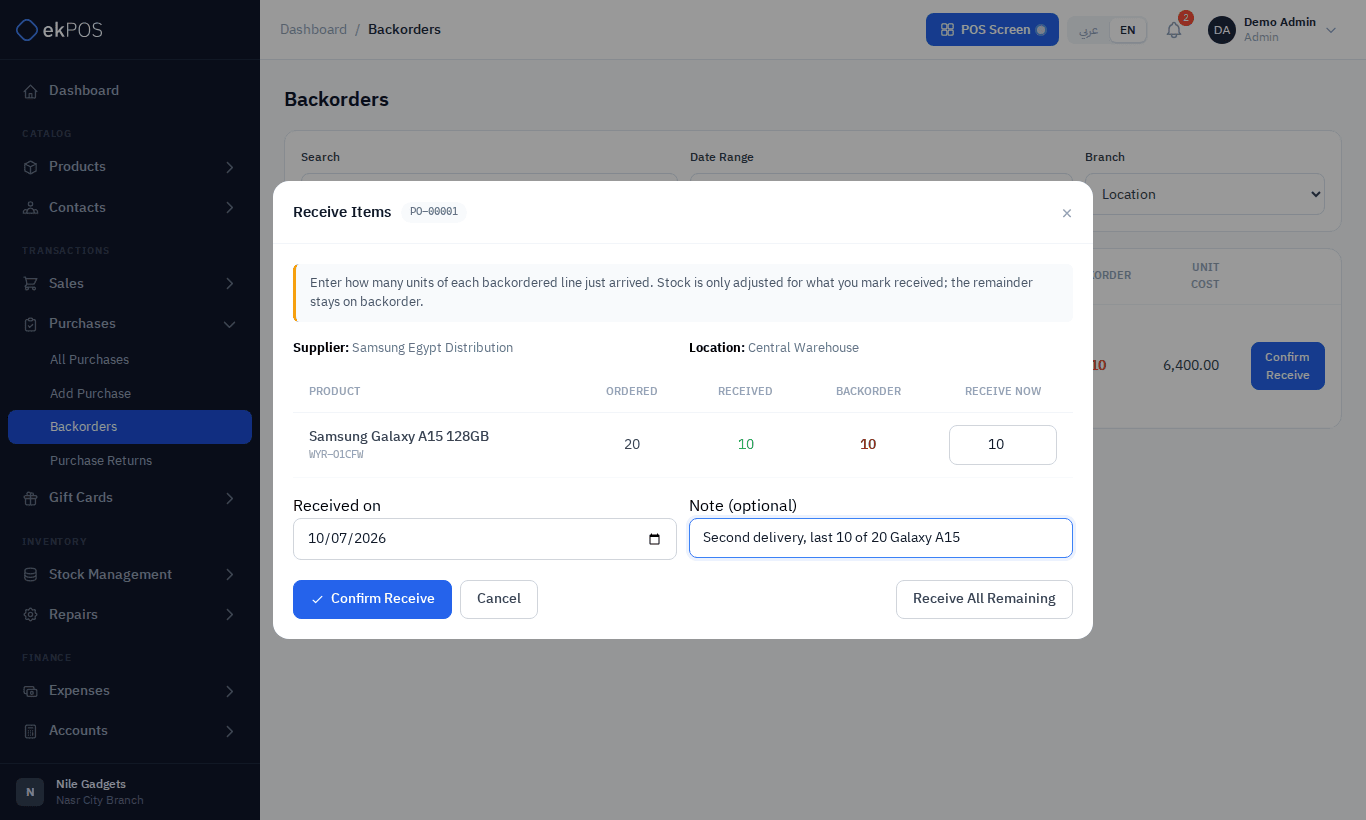
- In Receive Now, enter how many units of each line arrived. To take everything that is still outstanding, click Receive All Remaining; it fills every box.
- Check the Received on date and add an optional note.
- Click Confirm Receive.
What happens next
- The quantities are added to stock at the purchase's location.
- The purchase becomes Partially Received, or Received once every line is complete. It leaves the Backorders list when nothing is outstanding.
- Each received product's cost is updated to its landed cost.
- The receipt, who made it and the note appear in the purchase's Transaction Log.
You cannot receive more than is outstanding on a line: extra units are ignored. If nothing is entered you see Enter a quantity on at least one line to receive. Only Ordered and Partially Received purchases can be received this way.
Correcting a receipt
To change a quantity that was received by mistake, Edit the purchase and correct its received quantities, or record a purchase return if the goods are going back to the supplier.