
Barcodes and labels
Every product can carry a barcode that the POS and the other product searches recognise, and you can print sticker labels for your shelves and stock.
Barcodes on products
- Set the Barcode and Barcode Type on the product form. If you leave the barcode blank, the product's SKU is used as its barcode.
- Barcodes are stored in capital letters and must be unique across your products.
- Each variant of a variable product can have its own barcode.
- Supported types: Code 128 (default; accepts letters and numbers), Code 39, UPC-A, UPC-E, EAN-13, EAN-8 and ISBN. The type only affects how labels are drawn. Use EAN-13 or UPC for the numbers printed on manufacturers' packaging, and Code 128 for your own codes.
Print labels for one product
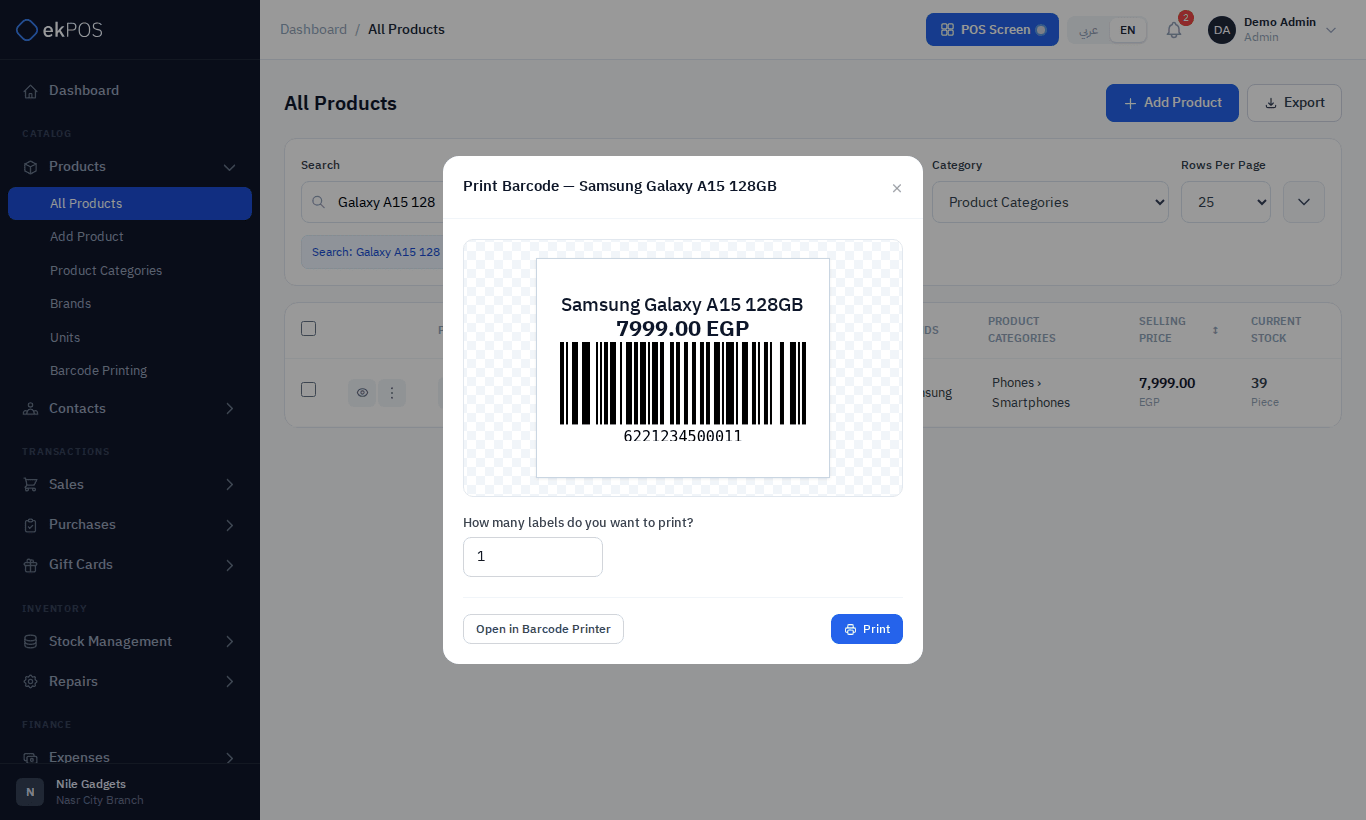
- On Products → All Products, open ⋮ → Print Barcode Label on the product.
- Enter how many labels you want.
- Click Print, or Open in Barcode Printer to continue on the Barcode Printing page with this product already selected.
Print labels for many products
Products → Barcode Printing prints labels for several products in one go.
- Filter the list by name, SKU, barcode, category or brand. Only products with barcodes is on by default; turn it off to include products without a barcode (their labels have no bars).
- Tick the products to print.
- Set Qty to Print for each one.
- Check the Print Preview on the right. Click Refresh Preview after changing quantities.
- Click Print Labels (n), where n is the number of products selected.
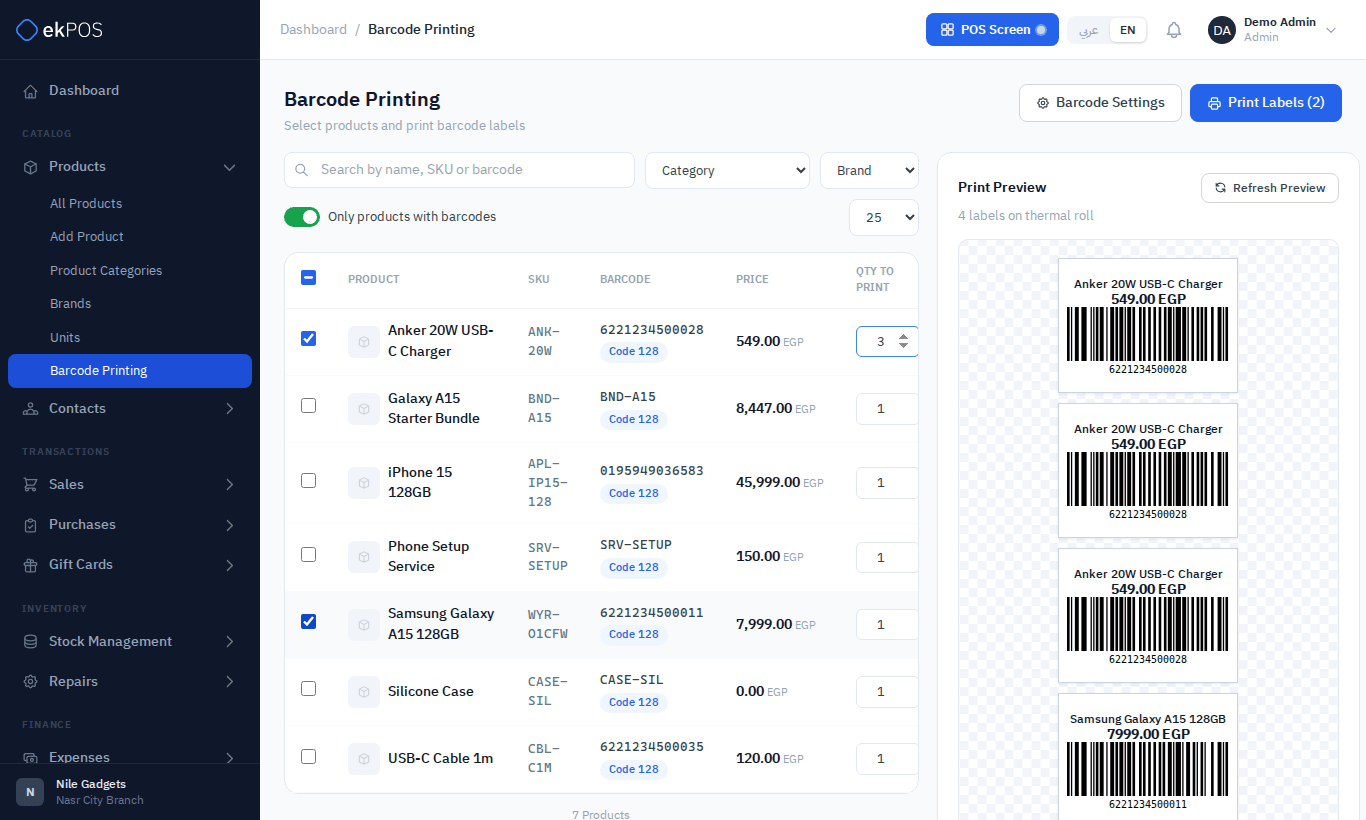
The label layout — size, thermal roll or A4 sheet, and what is printed on it — comes from Barcode Settings. Whether labels print through the browser dialog or straight to a label printer comes from Printer Settings.
NoteA variable product appears on this page as a single row with the product's own SKU, not as separate variants. Labels for individual variants cannot be printed from here at the moment.
Scanning barcodes
A USB or Bluetooth barcode scanner types the code and presses Enter, so it works in any product search box: the POS, Add Sale, purchases, transfers, adjustments and inventory audits.