
Roles and permissions
A role is a named set of permissions — what someone in that job can see and do. Every user has one role.
Open User Management → Roles.
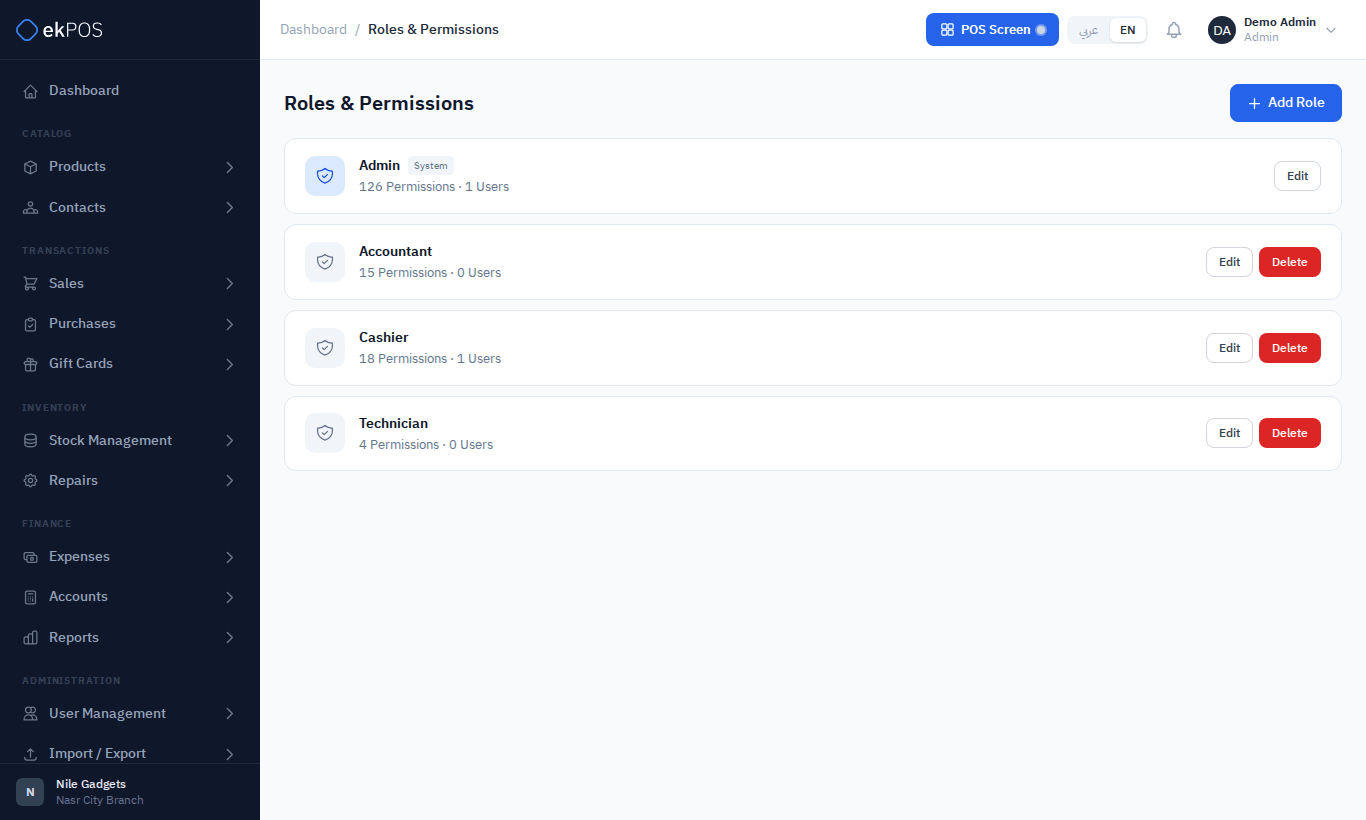
The built-in roles
Every business starts with four roles:
| Role | Starts with |
|---|---|
| Admin | Everything. An admin role passes every permission check, whatever boxes are ticked. It can't be renamed or deleted. |
| Cashier | Dashboard; POS with opening and closing the register (but not discounts); viewing products; viewing and adding contacts; viewing, creating and returning sales; counting in inventory audits; viewing and booking in repairs, and seeing every repair ticket; viewing and issuing gift cards. |
| Accountant | Dashboard; the chart of accounts and the three statements; viewing contacts, purchases and sales; creating and editing expenses; viewing and exporting reports; viewing payment methods and tax rates. |
| Technician | Repairs only: viewing, editing and working (status, parts, notes) the tickets assigned to them, and appearing in a ticket's Technician list. See Technicians. |
These are starting points. Change them as you like; ekPOS never resets them. Cashier and Accountant can't be deleted.
Create or edit a role
- Click Add Role, or Edit on a role.
- Enter the Role Name.
- Tick the permissions, module by module.
- Save.
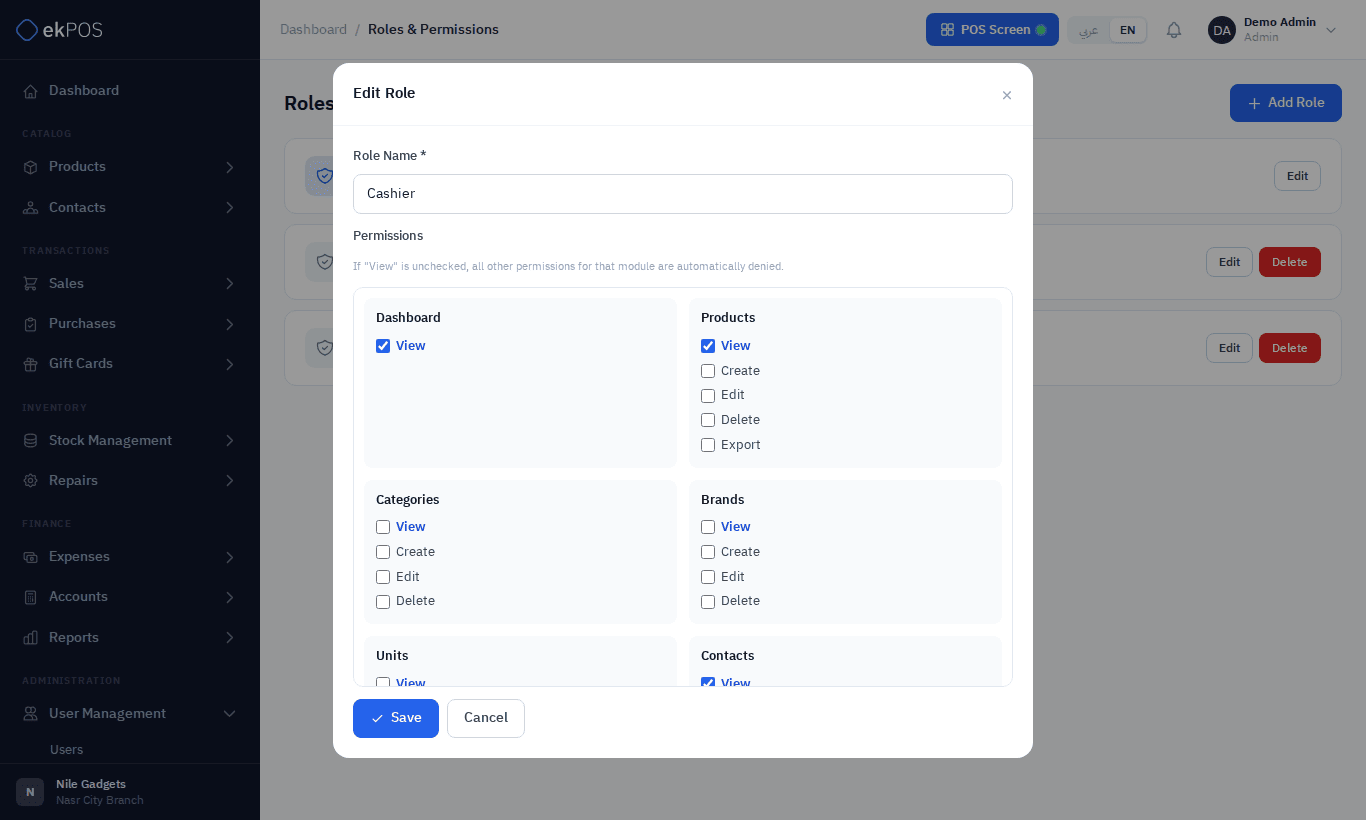
View comes first. Every module has a View box. Without View, none of the module's other boxes has any effect, and ticking another box ticks View for you.
Your plan may limit how many roles you can create.
What the permissions mean
Most modules have View, Create, Edit and Delete. The ones worth knowing:
| Module | Permission | Controls |
|---|---|---|
| POS | Open Register / Close Register | Starting and ending a register session |
| POS | Apply Discount | Keying in a discount at the POS, or selling a line below the price the till shows. Automatic discounts, price lists and combo prices apply without it. |
| Sales | Return | Creating sales returns and paying refunds |
| Purchases | Return | Creating purchase returns |
| Stock | Adjust / Transfer | Stock adjustments / transfers |
| Audits | Submit | Submitting a counted audit |
| Discounts, Price Lists, Shipments | Manage | Creating and changing them |
| Repairs | Manage | The ticket workflow: status, approvals, parts, payments |
| Gift Cards | Manage | Adjusting balances and cancelling cards |
| Expenses | Manage Categories | Expense categories |
| Accounts | Manage | Adding, editing and archiving accounts |
| Accounts | Balance Sheet / Trial Balance / Cash Flow | Each statement |
| Reports | View / Export | Opening reports / exporting CSV and printing them |
| Salesperson Report | View All Salespeople | Seeing everyone's figures, not only your own |
| Commissions | Approve / Mark Paid / Manage | Commission records and plans |
| Settings | View / Manage | Document, barcode, printer and accounting settings |
| ETA | View / Manage / Submit | E-invoicing pages / setup / sending documents |
| WooCommerce | View / Sync | The WooCommerce page / syncing |
| Data | Import / Export | The Import / Export pages |
POS → Return enables the invoice-scanning return flow inside POS. Cashiers receive it by default, and owners can disable it or enable it for managers. It is separate from Sales → Return.
What someone without permission sees
The side menu shows each user only the pages their role allows. A page or action they reach some other way, such as a saved link, shows a 403 page that says why, with a button back to the dashboard:
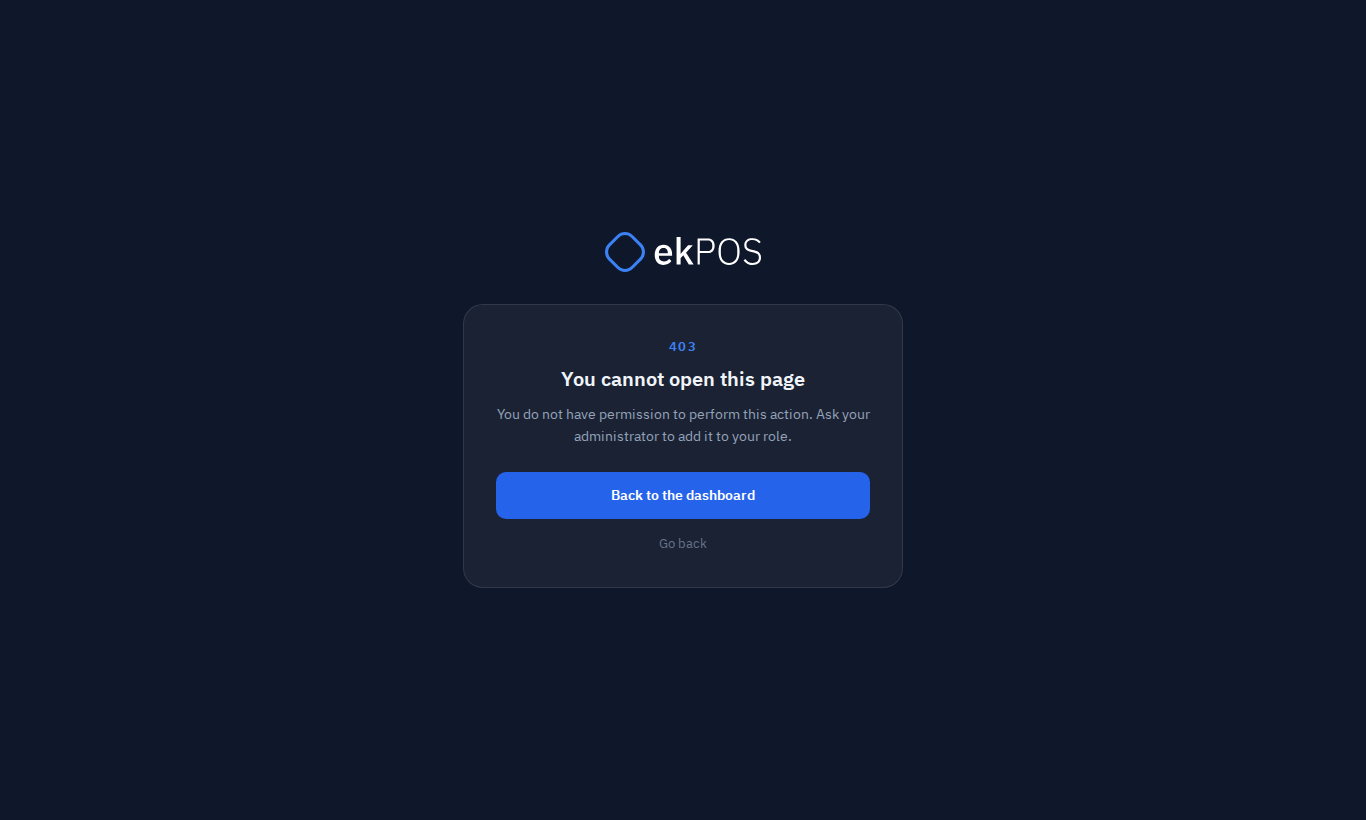
- You do not have access to this module. — they lack the module's View permission.
- You do not have permission to perform this action. — they can see the module but not do this particular thing.
Go back returns to the page they came from. Menus for optional modules your plan doesn't include (repairs, gift cards, price lists, accounting, some reports and integrations) are hidden altogether.
Deleting a role
A role can't be deleted while users have it. Move them to another role first. Admin, Cashier and Accountant can't be deleted.