
Chart of accounts
Accounts → Chart of Accounts lists every account in your books, grouped into Assets, Liabilities, Equity, Revenue and Expenses, with its current balance.
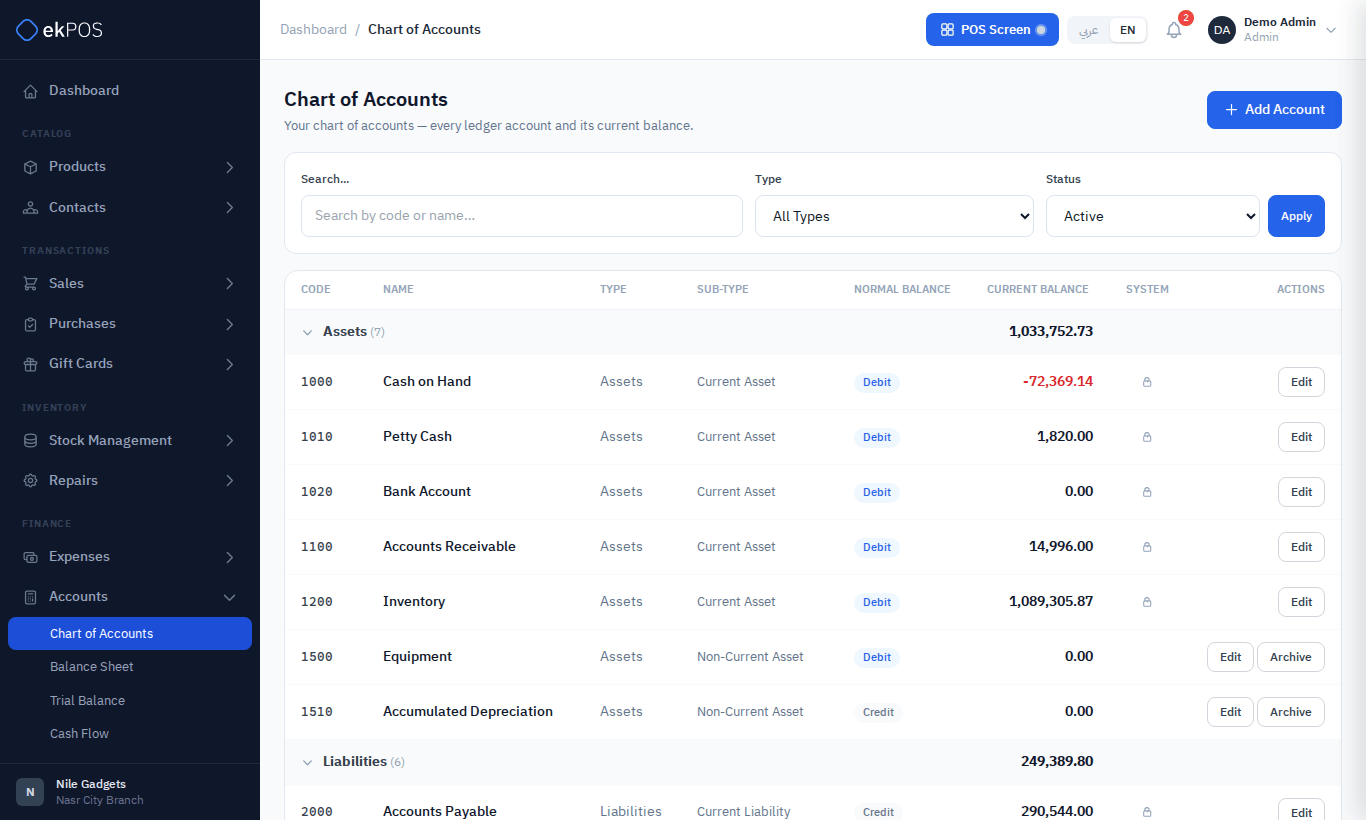
Every business starts with a standard chart of 31 accounts — Cash on Hand, Bank Account, Accounts Receivable, Inventory, Accounts Payable, Tax Payable, Gift Card Liability, Customer Deposits, Owner's Equity, Sales Revenue, Cost of Goods Sold, Inventory Shrinkage, Warranty Repair Costs, Rent, Utilities and more. Accounts marked with a lock are system accounts that ekPOS posts to.
Search and filter
Search by code or name, filter by type, and choose Active, Archived or All. Click a group heading to collapse it.
An account's ledger
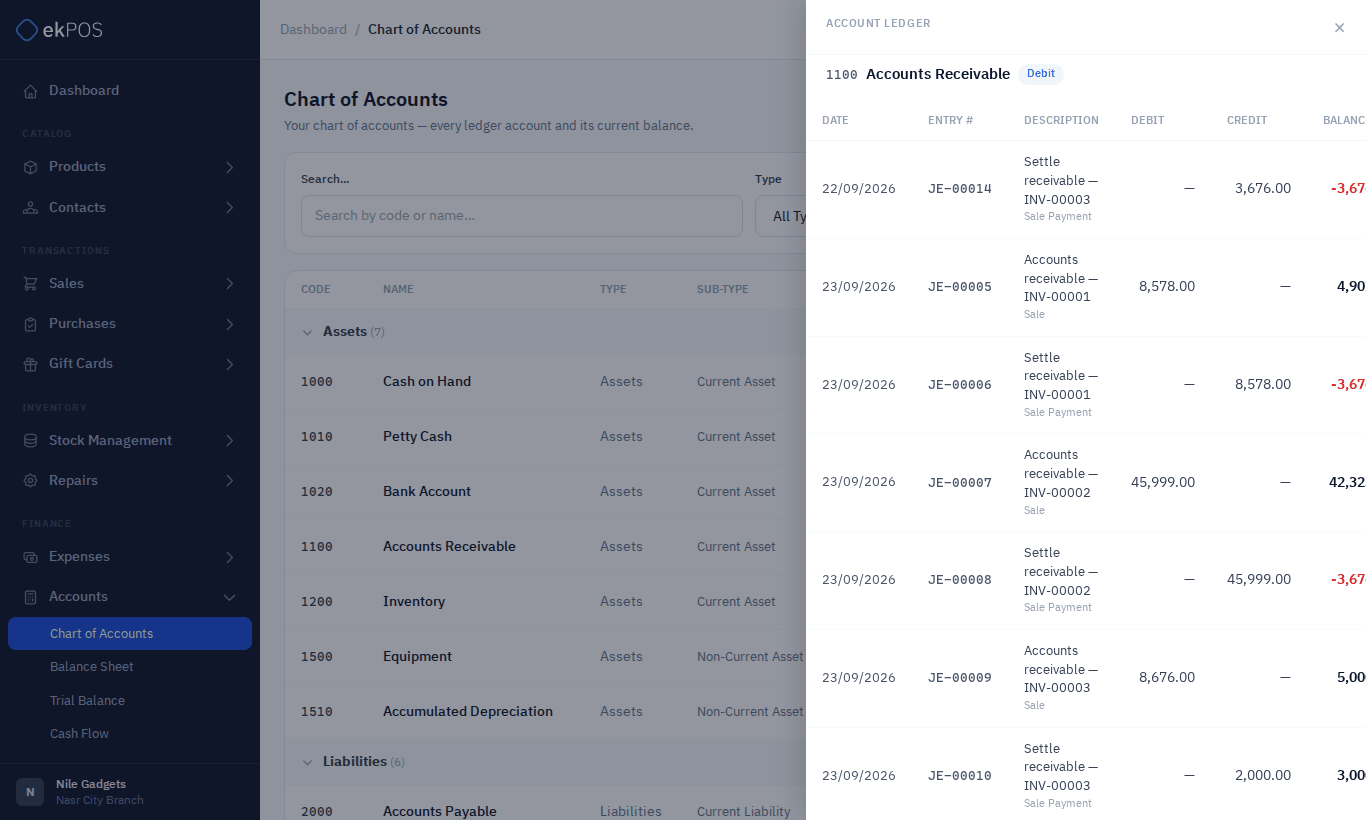
Click an account to open its Account Ledger: every journal entry that touched it, with date, entry number, description, debit, credit and running balance. The same drill-down works on the Balance Sheet, Trial Balance and Cash Flow.
Add an account
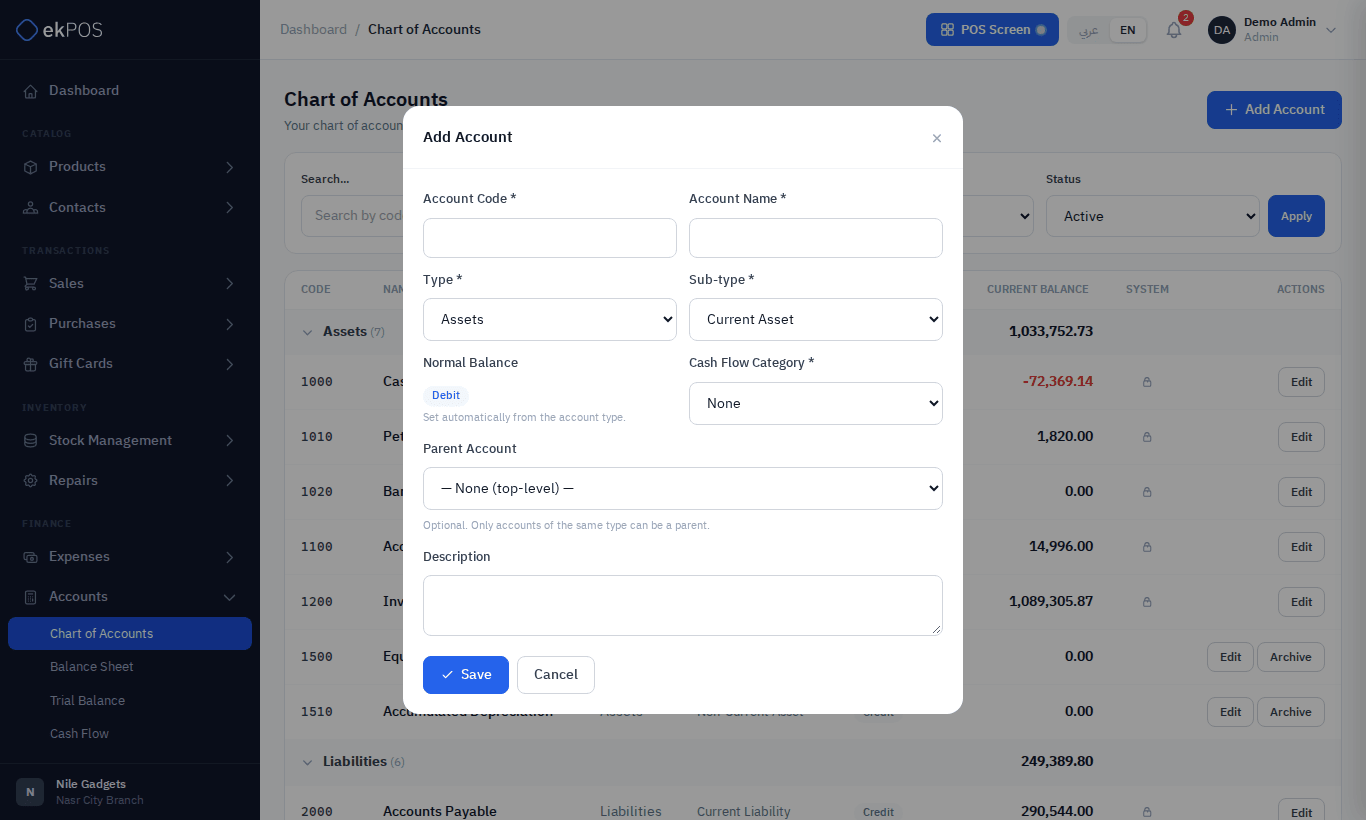
- Click Add Account.
- Enter a unique Account Code and the Account Name.
- Choose the Type and Sub-type; the Normal Balance follows from the type.
- Choose the Cash Flow Category (Operating, Investing, Financing or None), which places it on the Cash Flow statement.
- Optionally choose a Parent Account of the same type, and a description.
- Save.
Edit, archive and restore
- Edit changes an account. For a system account you can only change the name, cash-flow category and description.
- Archive hides an account. You can't archive a system account, an account with a balance, or an account used in Accounting settings mappings.
- Restore brings an archived account back.
Who can do this
Viewing needs Accounts → View; adding, editing, archiving and restoring accounts needs Accounts → Manage.