
Financial statements
The Accounts menu has three statements built from your books: the Balance Sheet, the Trial Balance and the Cash Flow statement. Each can be exported to CSV or PDF, and every account line opens its ledger.
Balance sheet
Your financial position on a date: assets on one side, liabilities and equity on the other.
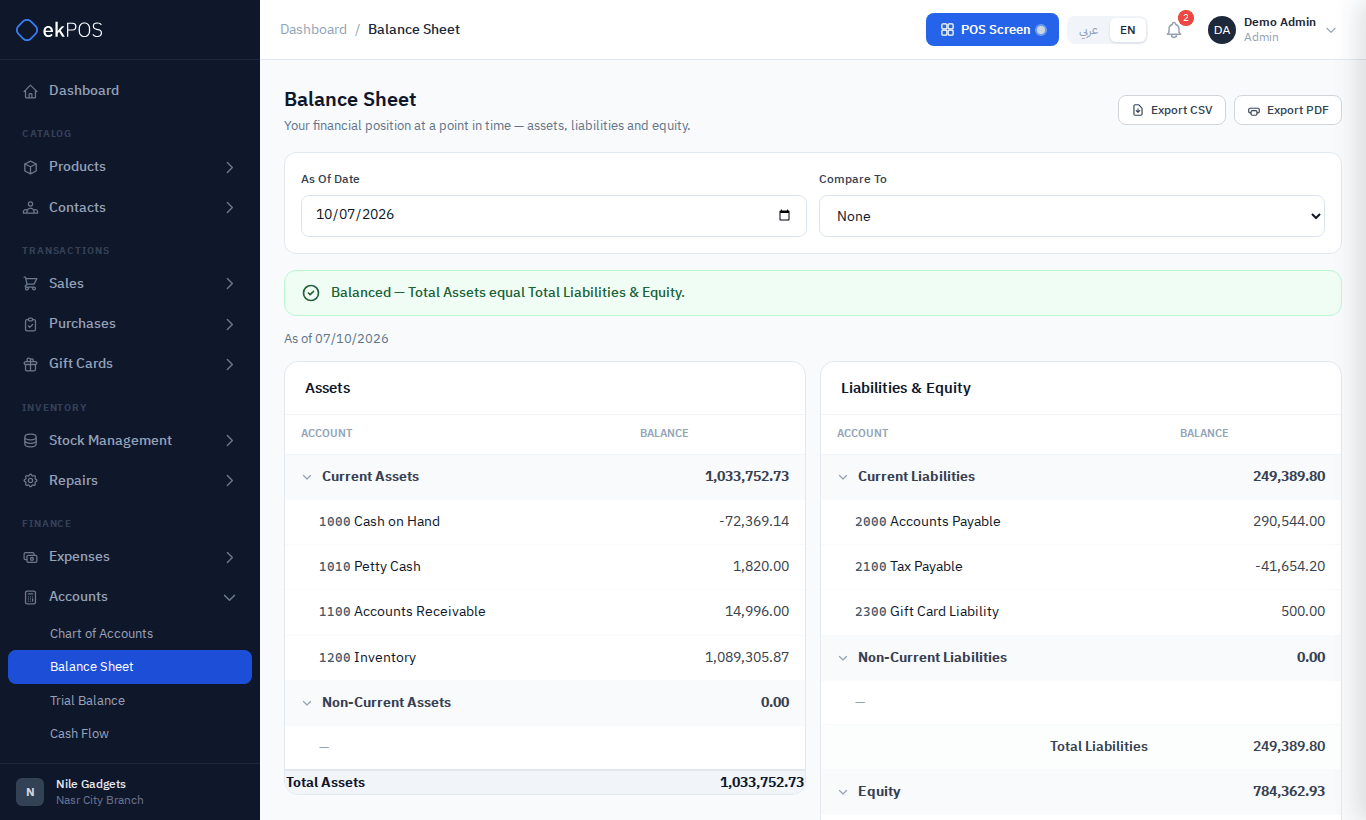
- As of Date — the date to report at (today by default).
- Compare To — none, previous month end, previous quarter end or previous year end, shown in a second column.
- Current Period Earnings — revenue less expenses to date, shown under Equity because year-end closing entries are not posted.
If the two sides differ, a red Out of Balance banner shows the difference.
Accounts that reduce their section are shown as negative amounts: Accumulated Depreciation under assets, and Sales Returns & Allowances and Discounts Given, which are taken off revenue in Current Period Earnings.
Trial balance
Every account's debits and credits for a period, to check that the books balance.
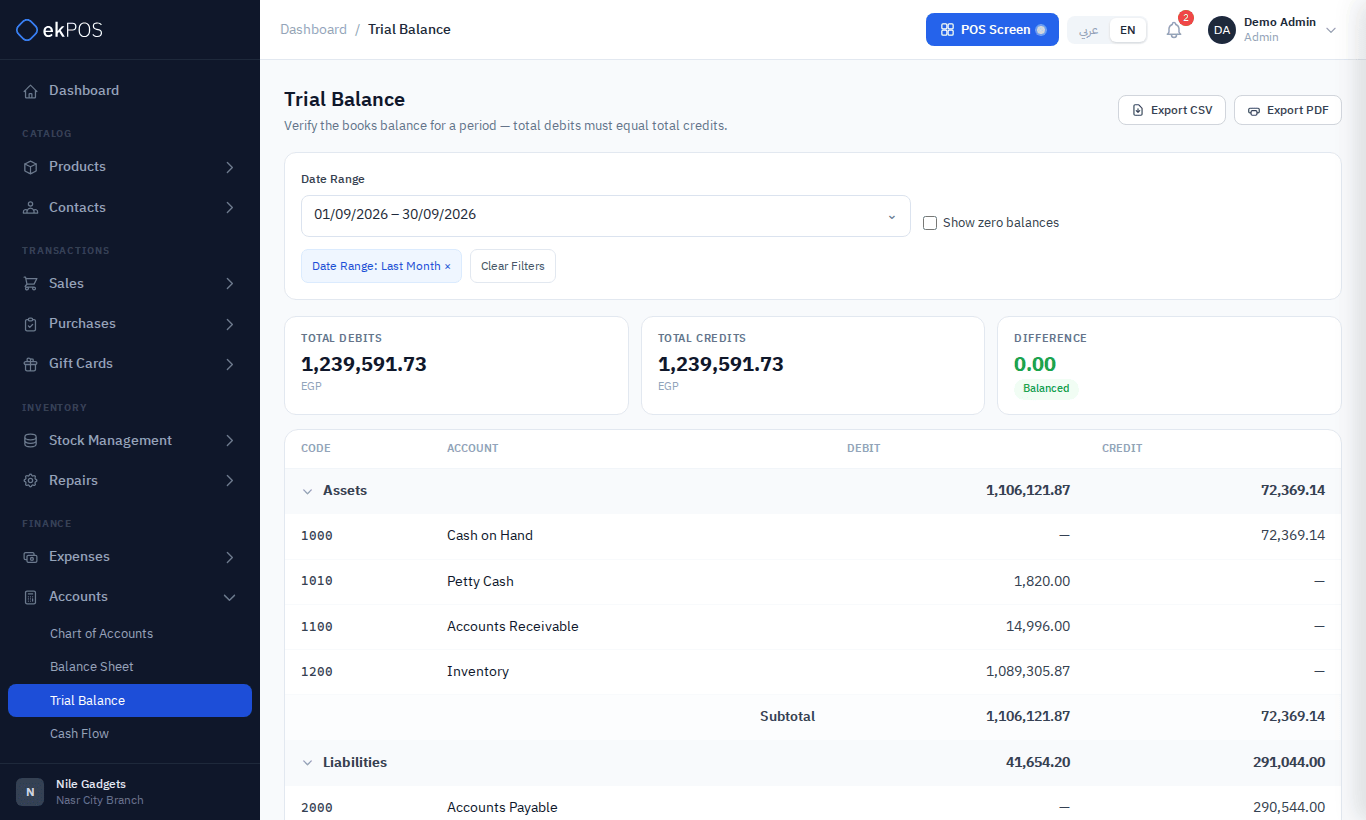
- Date Range — This Month, This Quarter, This Year or Custom.
- Show zero balances — include accounts with no movement.
- The cards at the top show Total Debits, Total Credits and the Difference, marked Balanced when it is zero.
Cash flow
Where cash came from and where it went during a period, by the direct method: operating, investing and financing activities, and the reconciliation from opening to closing cash.
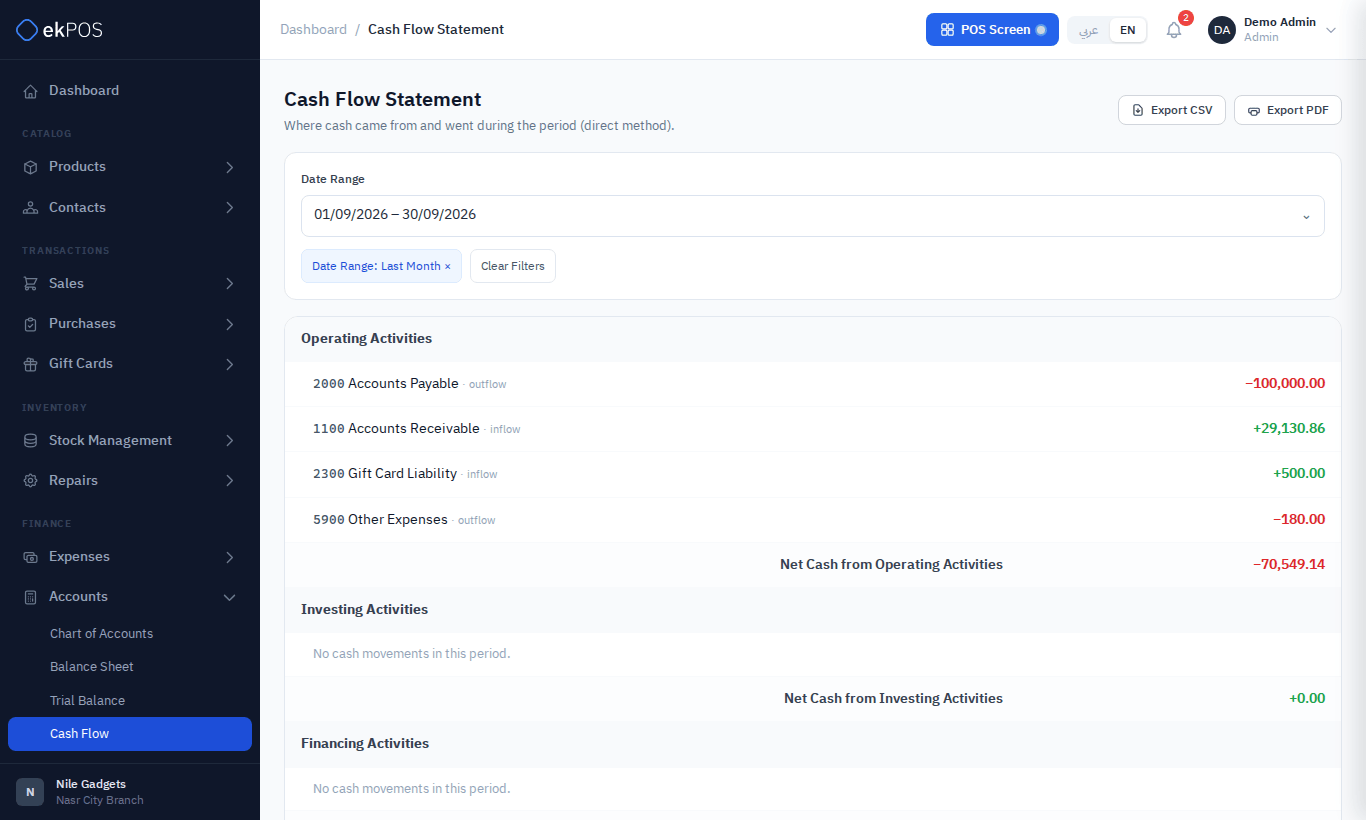
Each line is placed by its account's cash-flow category. Movements against accounts categorised as None — such as Owner's Equity — are left out and show as a reconciliation difference, so give accounts a category if you want them included.
Who can see them
| Permission | Allows |
|---|---|
| Accounts → Balance Sheet | The Balance Sheet |
| Accounts → Trial Balance | The Trial Balance |
| Accounts → Cash Flow | The Cash Flow statement |