
Accounting setup
On plans that include accounting, ekPOS keeps a full double-entry set of books. Sales, payments, returns, purchases, expenses, petty cash and gift cards post to your chart of accounts automatically. You don't write journal entries by hand.
Settings → Accounting Settings decides where each kind of transaction posts, and holds your opening balances.
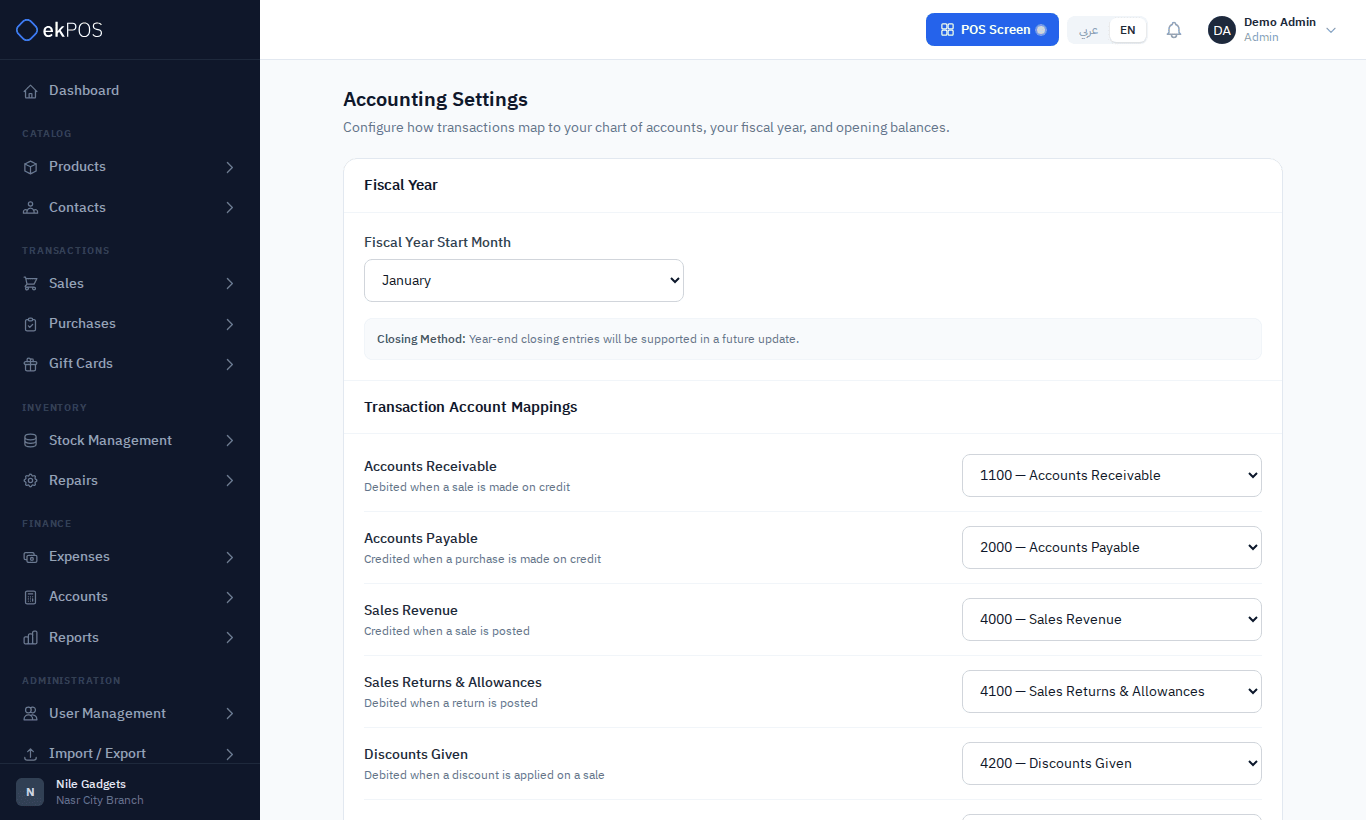
Fiscal year
Choose the Fiscal Year Start Month. Year-end closing entries are not generated yet; the balance sheet works out the current period's earnings instead.
Transaction account mappings
Every account starts mapped to the standard chart, and most businesses never change these:
| Mapping | Used when |
|---|---|
| Accounts Receivable | A sale is made on credit |
| Accounts Payable | A purchase is recorded |
| Sales Revenue | A sale is posted |
| Sales Returns & Allowances | A sales return is posted |
| Discounts Given | An invoice discount is given |
| Tax Payable | Tax is charged on sales or paid on purchases |
| Cost of Goods Sold | Goods are sold (at their cost) |
| Inventory | Goods are bought or sold |
| Petty Cash | Petty cash moves |
| Inventory Shrinkage | Stock is written off or found in a stock adjustment |
| Warranty Repair Costs | A repair the customer is not charged for is completed |
| Opening Stock | Opening stock is entered (starts on Owner's Equity) |
| Gift Card Liability | A gift card is issued or spent |
| Gift Card Adjustments | A gift card balance is adjusted or cancelled |
| Customer Deposits | A repair deposit is taken, refunded or used on its invoice |
Payment method accounts
Each payment method can post to its own cash or bank account. For example, map Card and Bank Transfer to 1020 Bank Account and leave Cash on 1000 Cash on Hand.
A method with no mapping posts to Cash on Hand. If you don't map your bank methods, bank payments will show up as cash — and your Cash on Hand can even go negative.
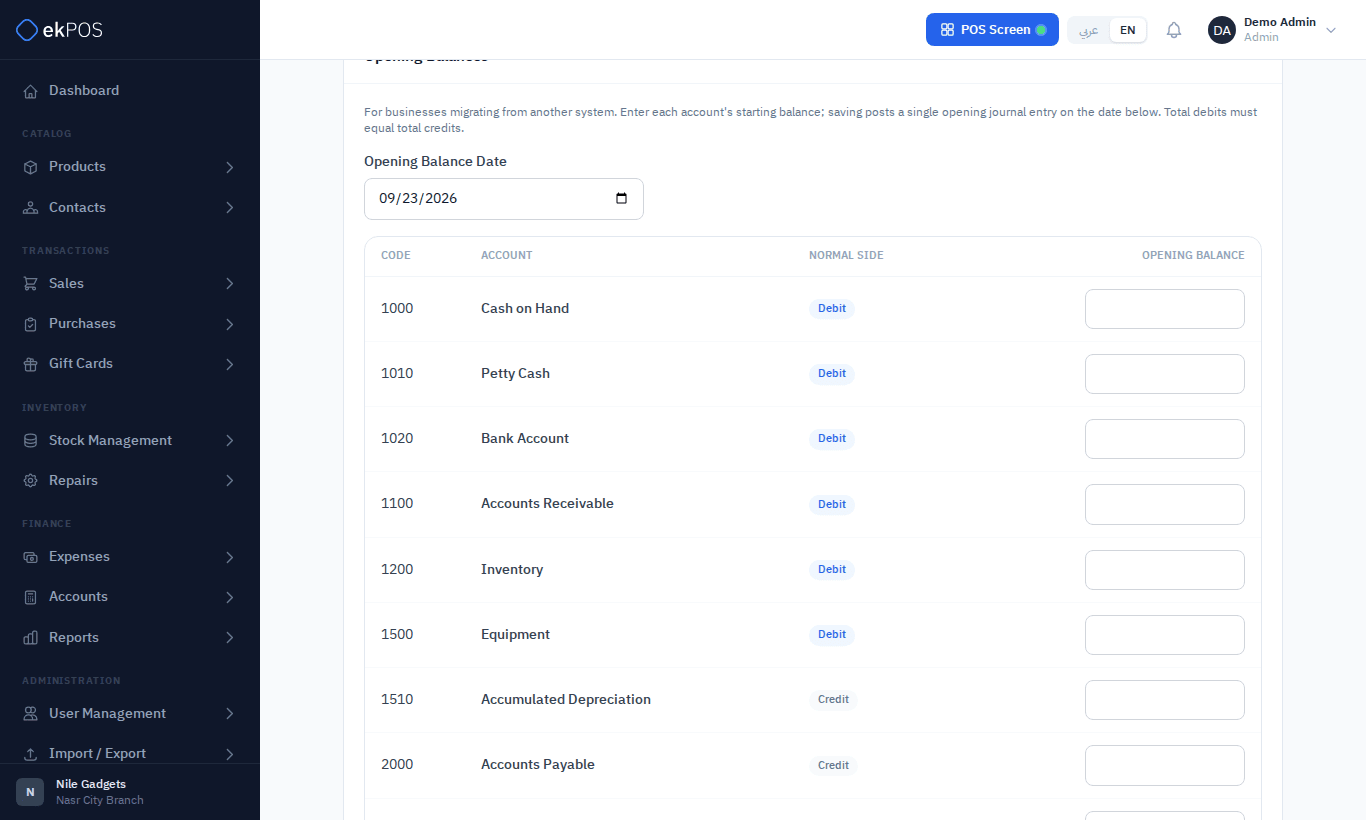
Expense category accounts
Each expense category can post to its own expense account — Rent to 5200 Rent & Lease, Utilities to 5300 Utilities. Unmapped categories post to 5900 Other Expenses.
Mappings for new payment methods and categories appear here automatically.
Opening balances
If you are moving to ekPOS from another system, enter what each account held on the day you start.
- Set the opening date.
- Enter each account's balance on its normal side: assets and expenses as debits, liabilities, equity and revenue as credits. A negative number flips the side.
- The Totals must balance — the difference must be 0.00. Typically, the balancing figure goes to 3000 Owner's Equity.
- Click Save Opening Balances.
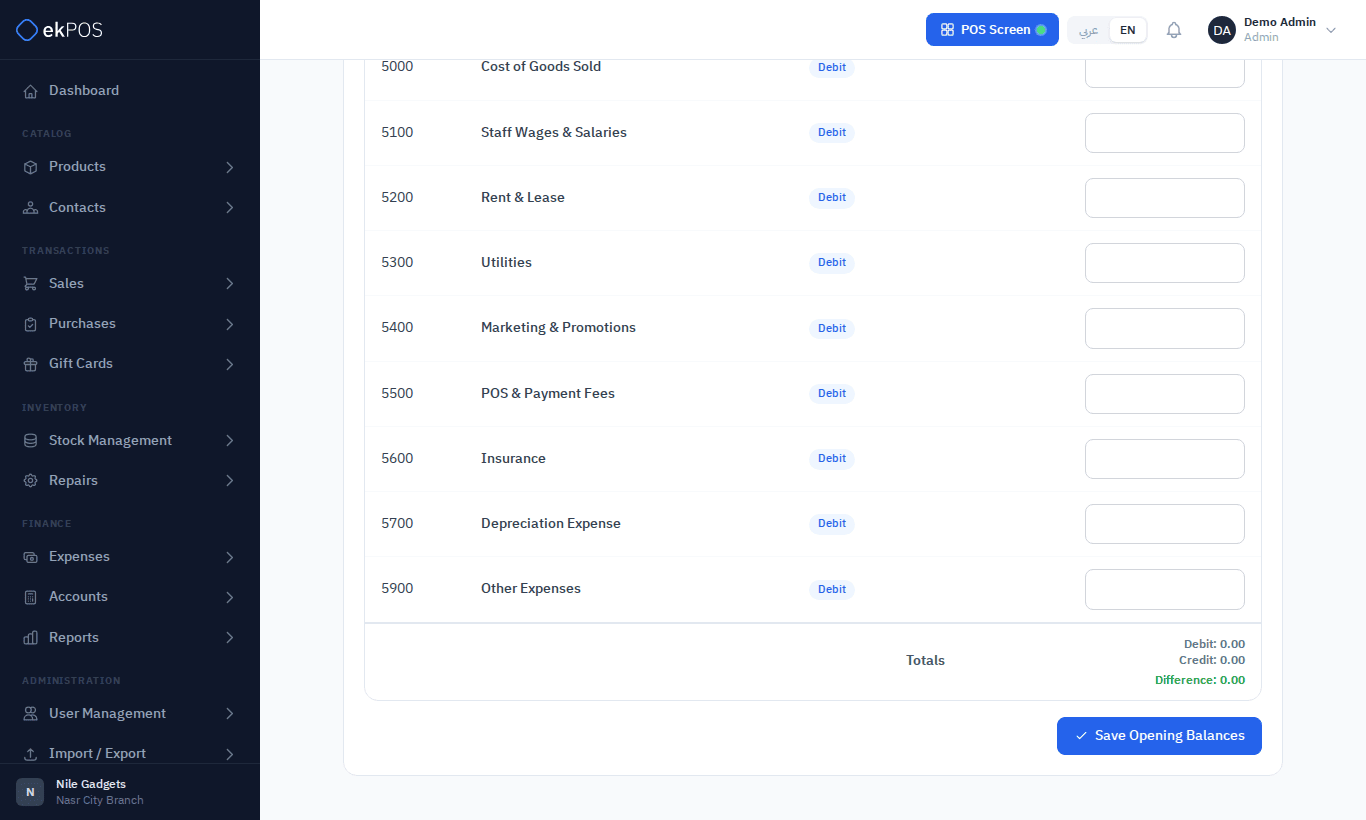
Saving again replaces the previous opening balances rather than adding to them. If the totals don't balance, you see how far apart debits and credits are, and nothing is saved.
What posts, and when
| Event | Posts |
|---|---|
| Final sale | Receivable, revenue, tax, discounts; cost of goods sold and inventory at cost |
| Payment on a sale | Cash or bank against receivable |
| Sales return and refund | The reverse of the sale, and the refund |
| Purchase (Ordered, Partially Received or Received) | Inventory and input tax against payable — the full purchase value, even before all goods arrive |
| Supplier payment | Payable against cash or bank |
| Purchase return | Payable against inventory |
| Expense (Approved or Paid) | The category's expense account against payable, or cash when paid |
| Petty cash top-up / withdrawal | Petty cash against cash |
| Gift card issued | The method's cash or bank account against Gift Card Liability |
| Store credit for a return | Receivable against Gift Card Liability |
| Gift card adjusted or cancelled | Gift Card Liability against Gift Card Adjustments |
| Repair deposit taken / refunded | The method's cash or bank account against Customer Deposits |
| Repair invoiced | As a sale; deposits held settle it from Customer Deposits |
| Opening stock entered | Inventory against the Opening Stock mapping (Owner's Equity), at the product's purchase price |
| Stock adjustment | Its net value at the cost on its lines: Inventory Shrinkage against Inventory for stock written off, the other way for stock found |
| Warranty repair completed | The cost of its parts: Warranty Repair Costs against Inventory |
Not posted: transfers between locations — there is one Inventory account for the whole business, so moving stock changes nothing in it — and sales or purchases created by an import or by WooCommerce.
NoteOpening stock is posted from your products. When you enter opening balances, leave Inventory out, or the stock is counted twice.
Editing or deleting a document reverses its postings and, if it still exists, posts it again from the new figures.
Who can do this
Accounting settings need Settings → Manage.