
Inventory reports
Stock report
Reports → Stock Report is a snapshot of stock right now.
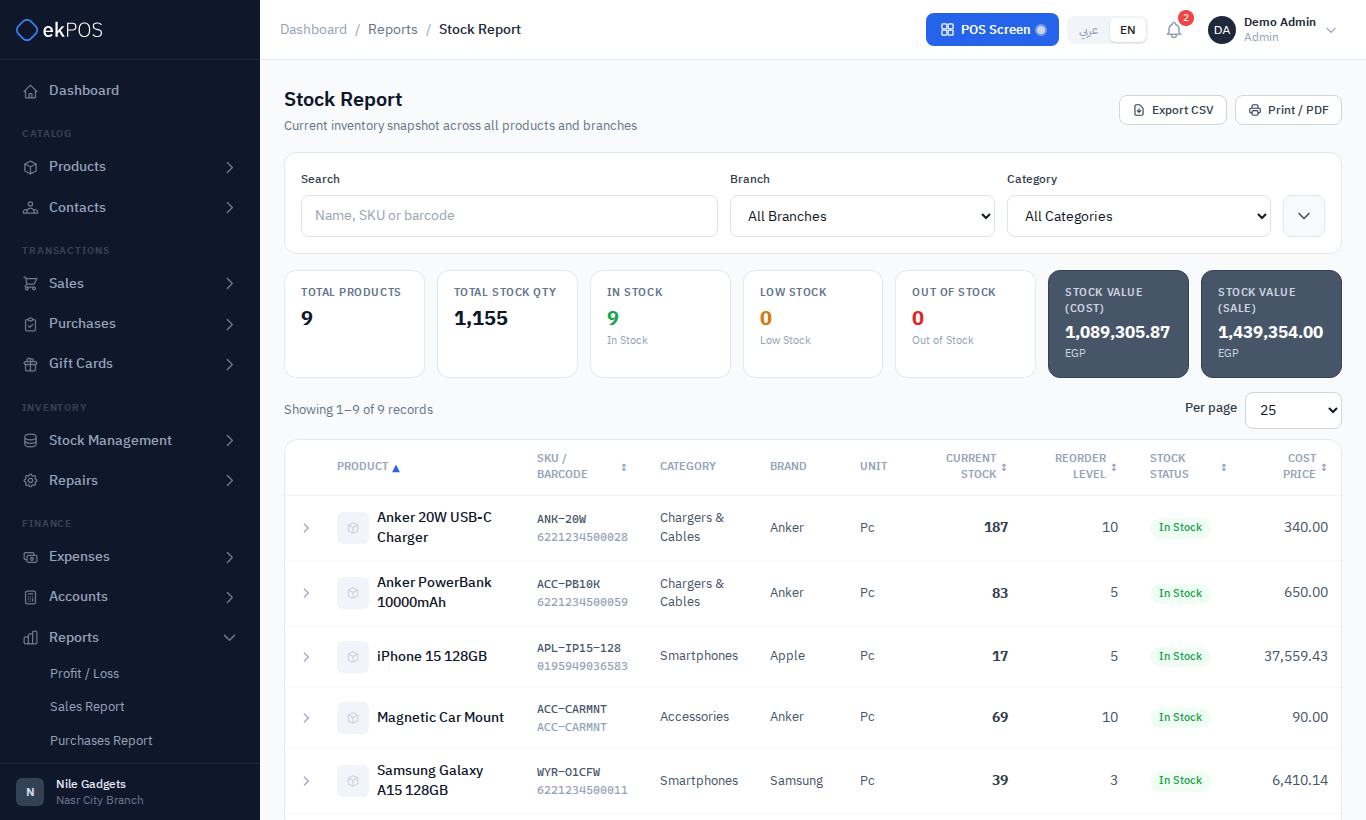
Filters: a search by name, SKU or barcode (a variant's SKU or barcode finds its product), branch, category, brand and stock status (In Stock, Low Stock, Out of Stock). The cards show the number of products, total quantity, how many are in stock, low or out, and the stock value at cost and at selling price. Each row shows the product, SKU and barcode, category, brand, unit, current stock, reorder level, status, cost price, value at cost, sale price and value at sale price.
A product with variants is valued at each variant's own cost and selling price. Its row shows the average price across the variants it holds, so price × stock gives the value, and its branch breakdown shows one line per location.
NoteA variable product is valued at the parent product's price, which is usually 0, so its variants' stock adds nothing to the stock value.
Restock report
Reports → Restock Report lists products at or below their Low Stock Alert Quantity, and helps you refill them.
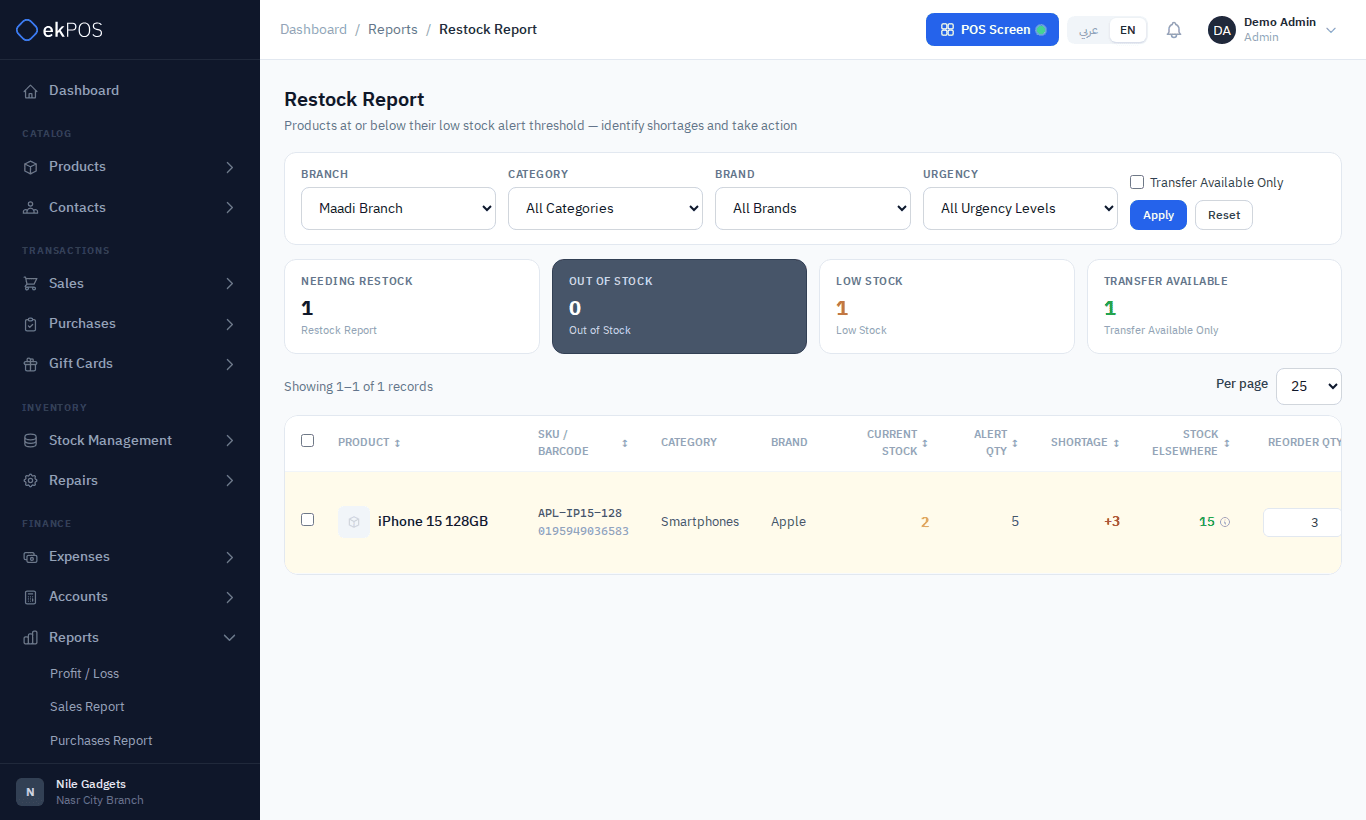
- Choose a Branch. Stock is judged per branch; with All Branches the quantities are added together, and transfer suggestions are off.
- Filter by category, brand and urgency — Critical (Out of Stock), Low Stock, or Transfer Available Only (another location has spare stock).
- For each product the report shows current stock, alert quantity, shortage, stock elsewhere, a suggested reorder quantity you can change, and the urgency.
- Act on it:
- Create Transfer — a pending transfer from the location that has stock. Stock doesn't move until you set it in transit or completed.
- Create PO — a purchase with status Purchase Order, for a supplier you choose, to review and send.
- Tick several products to create transfers or a purchase order for all of them at once.
Product stock history
Reports → Product Stock History is the full ledger of one product's movements.
- Search for the product and choose it.
- Filter by branch, variant and dates.
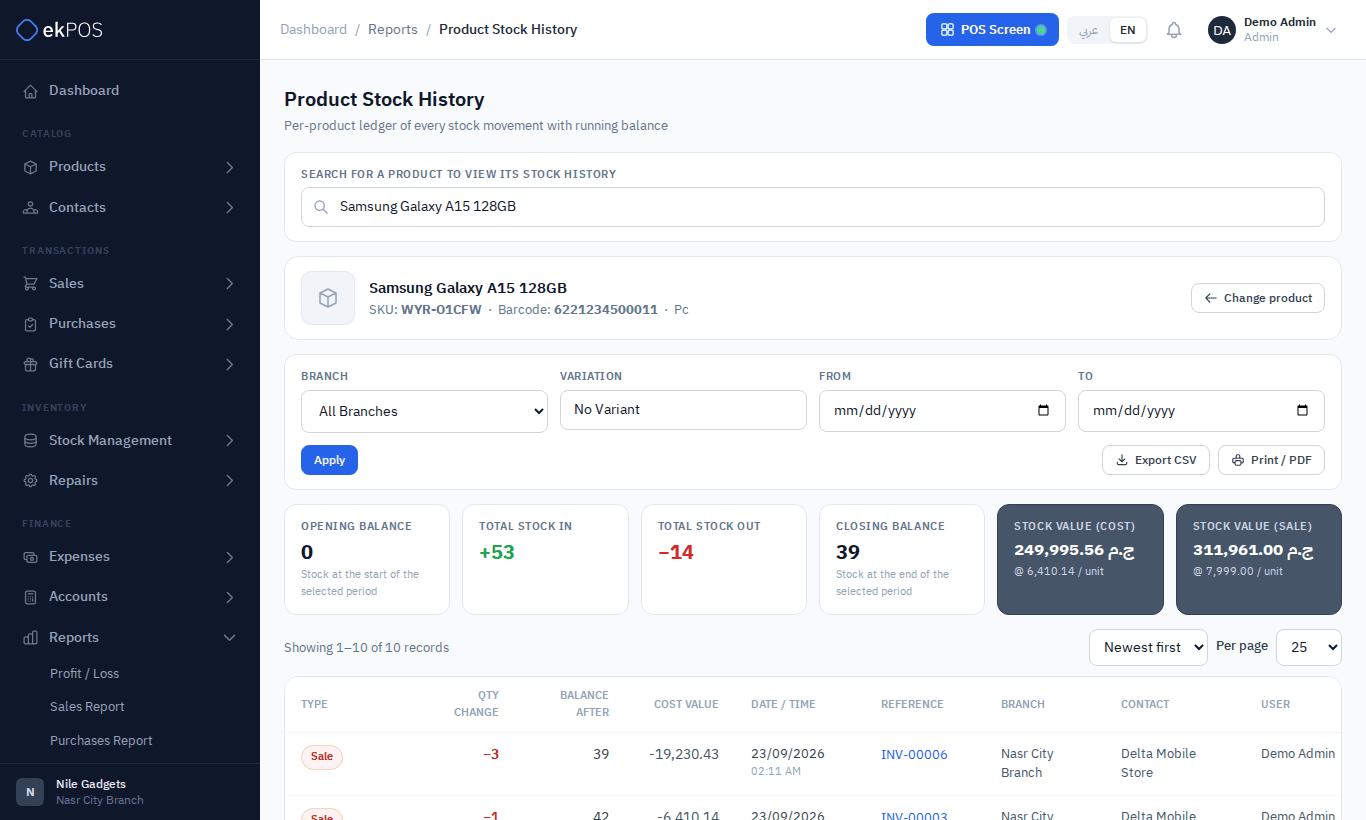
The cards show the opening balance, total in, total out, closing balance and the stock value at cost and sale price. Each movement — opening stock, purchase, purchase return, sale, sales return, transfer in and out, adjustment — shows the quantity change, the balance after it, its cost value, date, reference, branch, contact and user. Sort newest or oldest first.
You can also open it from ⋮ → Stock History on a product.