
User Guide / Integrations
API tokens
The ekPOS REST API lets another system — an accounting package, a website, a report tool — read your data and make a limited set of changes. Access is by token, issued at Integrations → API.
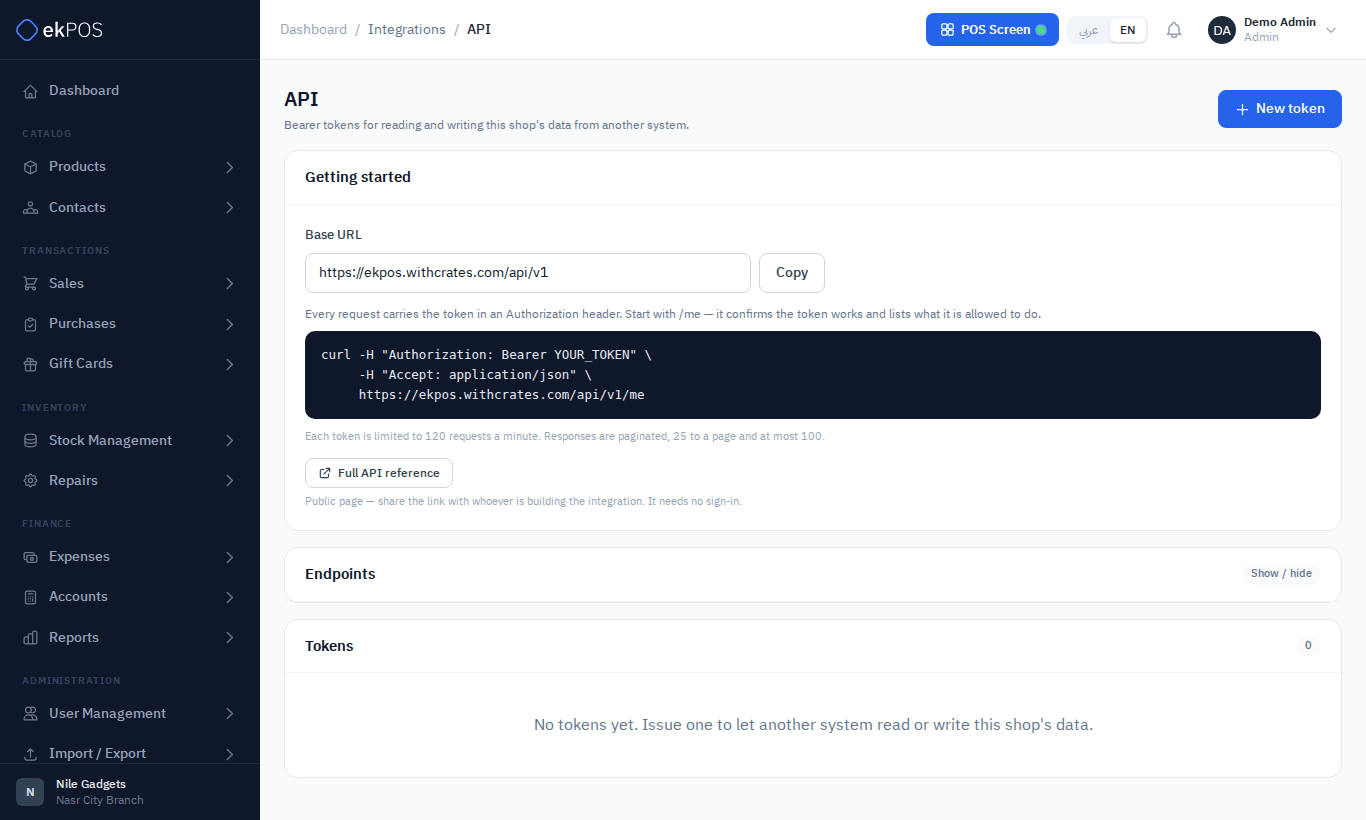
The page shows your Base URL, a first request to try, the list of endpoints, and a Full API reference button. The reference is not public: it opens only for people who may manage integrations, so a developer from outside your business needs an account of their own, or a copy you save for them.
Issue a token
- Click New token.
- Give it a Name that says what it is for, for example Accounting sync.
- Choose its abilities — what it may do. Each ability is one of your permissions (for example View products); the token can never do more than the user who created it.
- Choose its branch scope: all branches, or only selected branches. A token scoped to branches only sees sales, purchases and stock for them. A token never reaches beyond your own Locations: if your user is limited to some locations, you can only pick those, and "all branches" means all of yours.
- Optionally set an expiry date.
- Create it. The token is shown once — copy it now. ekPOS stores only a fingerprint and can't show it again.
How tokens behave
- Each request sends the token in an
Authorization: Bearer …header. - A token acts as the user who created it. If that user loses a permission, or is deactivated, the token loses it too.
- Each token may make 120 requests a minute.
- Sales and purchases are read-only through the API. Stock is changed through stock adjustments.
- Tokens are not affected by two-factor authentication: an integration is never asked for a code, even when its user has 2FA on or your business requires it. Changing the user's password does not revoke tokens either — revoke them here.
- Everything a token does is recorded in the Activity Log as its user, marked Via API token.
Revoke a token
Delete it from the list. Anything using it stops working at once.
Who can do this
The page is part of Integrations; issuing and revoking tokens needs Integrations → Manage. API access must be part of your plan.